
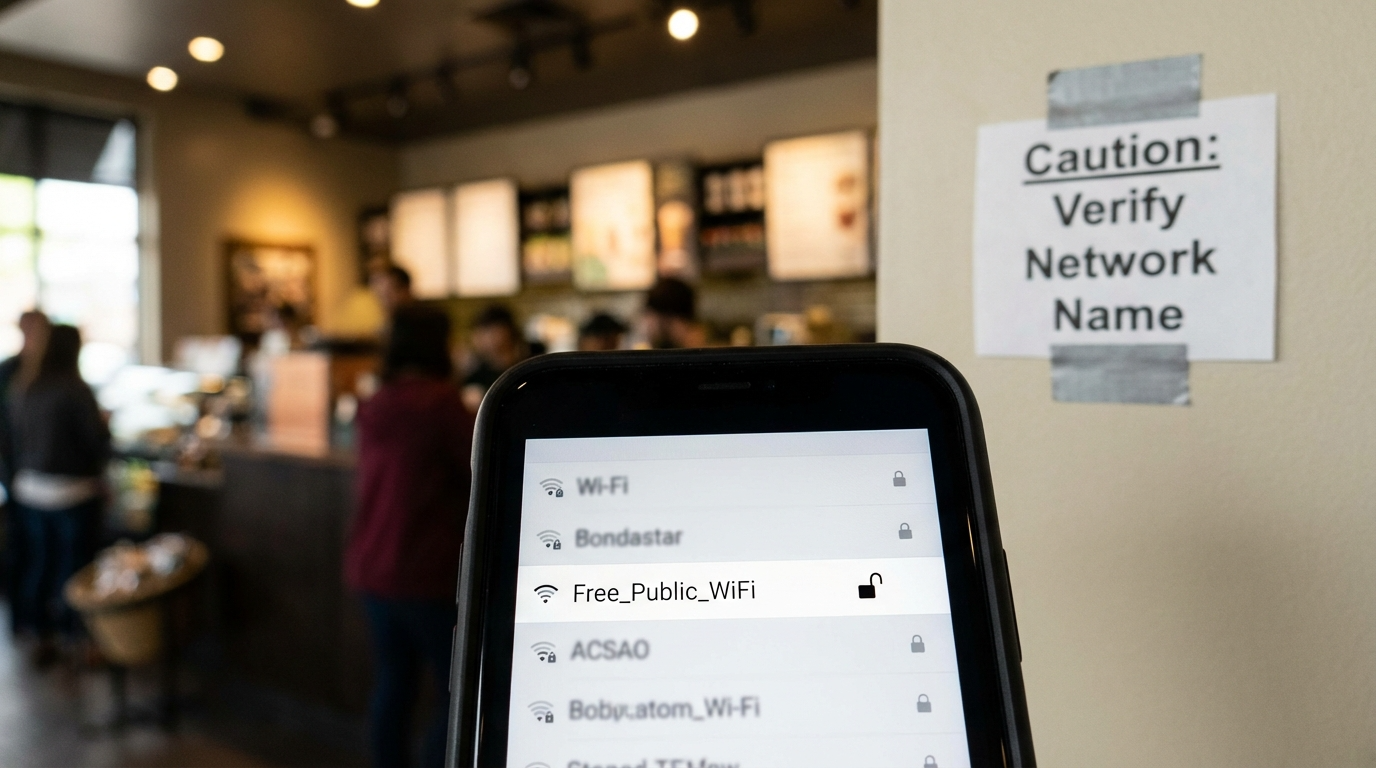
Public Wi-Fi networks can be lifesavers when you’re on the go — until they turn into traps set by cybercriminals. Fake public Wi-Fi hotspots are among the easiest ways hackers can steal your passwords, financial details, and private information without you realizing it.
In this guide, you’ll learn how to identify these dangerous networks, understand how they work, and protect yourself from becoming a victim of cyber theft.
What Are Fake Public Wi-Fi Hotspots?
Let’s start with the basics. A fake public Wi-Fi hotspot, sometimes called an “evil twin,” is a malicious network that imitates a legitimate one.
Hackers create these clones to trick people into connecting. They often name them after popular spots like “CoffeeShop_Free_WiFi” or “Airport_WiFi_Connect”. Once connected, every keystroke, email, and login you make can be monitored or stolen.
These fake networks thrive in places where people expect free Wi-Fi — airports, cafés, hotels, and shopping malls.
How Hackers Use Fake Wi-Fi to Steal Data
When you connect to a fake public Wi-Fi hotspot, hackers can:
- Monitor your traffic: Every website visit, message, and password may be visible.
- Inject malware: They can plant malicious code into your device without you noticing.
- Launch man-in-the-middle attacks: They intercept data flowing between your device and real websites.
- Access saved passwords: Some fake hotspots mimic login portals and capture your credentials instantly.
Think of it like handing your unlocked phone to a stranger — only this time, it happens invisibly over the air.
Warning Signs of a Fake Public Wi-Fi Hotspot
So how can you spot one before it’s too late? Here are the red flags you need to know:
1. Duplicate Network Names
If you see two similar names, like “Starbucks_WiFi” and “Starbucks_FreeWiFi,” be cautious. One might be the real network, and the other could be the fake public Wi-Fi set up to trick you. Always verify with staff before connecting.
2. No Password Protection
Free doesn’t mean open. Legitimate networks often have at least a basic password. A Wi-Fi that’s completely open could be a setup to lure unsuspecting users.
3. No HTTPS on Websites
When you’re connected, check the websites you visit. If they don’t show HTTPS or a padlock icon, your data isn’t encrypted — and someone might be watching.
4. Slow or Interrupted Connection
Fake hotspots sometimes reroute your data through hacker servers, creating lag or frequent disconnections. That’s not your phone — that’s a red flag.
5. Suspicious Login Portals
Some fake public Wi-Fi networks redirect you to login pages asking for personal info. A coffee shop shouldn’t need your full name, email, and phone number just to access the internet.
How to Protect Yourself from Fake Wi-Fi Networks
Protecting yourself from fake public Wi-Fi is easier than you might think. Here’s what to do:
1. Always Confirm the Network Name
Before you connect, ask an employee for the correct network name. It takes five seconds and can save your data.
2. Use a Trusted VPN
A VPN encrypts your connection, even on fake public Wi-Fi. It creates a private tunnel so hackers can’t read or steal your information. Services like ExpressVPN, NordVPN, or Surfshark are top options for frequent travelers.
3. Turn Off Auto-Connect
Disable your phone or laptop’s “auto-join” feature for public networks. This stops your device from automatically connecting to malicious hotspots that mimic previous connections.
4. Avoid Sensitive Transactions
Never log into your bank account, email, or shopping apps while using public Wi-Fi — especially if it’s not secured. Wait until you’re on a mobile network or your home connection.
5. Keep Software and OS Updated
Updates often include security patches that protect you from Wi-Fi-related vulnerabilities. Set your device to update automatically whenever possible.
Advanced Security Steps for Frequent Wi-Fi Users
If you regularly use public Wi-Fi for work or travel, take your protection a step further:
1. Use Two-Factor Authentication (2FA)
Even if hackers steal your password, 2FA prevents them from accessing your account without a second verification step.
2. Disable File Sharing and AirDrop
Turn off sharing features when connected to public networks. It prevents others from accessing files or sending malicious ones.
3. Monitor Your Network Traffic
Use apps like GlassWire or Wireshark to monitor for suspicious network activity. These tools help detect fake Wi-Fi attacks before serious damage occurs.
4. Forget Networks After Use
Manually remove networks from your device once you’re done. This prevents automatic reconnections later.
Why Fake Public Wi-Fi Is So Dangerous
The biggest danger of fake public Wi-Fi is how invisible it feels. Everything appears normal — your browser loads, your apps refresh — yet someone could be siphoning your information in real time.
Hackers don’t need physical access to your phone. They only need you to connect once. From there, they can harvest data, install spyware, or even impersonate you online.
Public hotspots are convenient, but convenience often comes at the cost of caution. A single careless connection could expose years of private data.
Using a VPN: The Ultimate Shield Against Fake Wi-Fi
A VPN (Virtual Private Network) is your best defense against fake public Wi-Fi. It encrypts your data, hides your IP address, and ensures your online actions remain private.
Even if you accidentally connect to a rogue hotspot, a VPN prevents hackers from reading your information.
Think of it as a digital invisibility cloak — you’re still online, but invisible to anyone trying to spy on you.
If you frequently use airports, hotels, or cafés, a VPN is not optional. It’s essential.
Stay Safe When You’re On the Go
Next time you’re at a coffee shop, airport, or conference center, take a moment before hitting “connect.” Check the network name, use a VPN, and think twice before logging into sensitive accounts.
Fake public Wi-Fi is designed to exploit our habits. But with awareness and the right precautions, you can browse confidently and securely wherever you are.
FAQ
1. What is a fake public Wi-Fi hotspot?
It’s a network set up by hackers to mimic a legitimate hotspot, tricking users into connecting and stealing their data.
2. How can I tell if a Wi-Fi is fake?
Check for duplicate network names, open access without passwords, or login pages that ask for personal info.
3. Is it safe to use public Wi-Fi with a VPN?
Yes. A VPN encrypts your data, making it unreadable to hackers, even on fake public Wi-Fi networks.
4. Can my phone be hacked through Wi-Fi?
Yes, connecting to a fake or unsecured Wi-Fi can allow hackers to intercept data or install malware.
5. What’s the best way to stay safe on public Wi-Fi?
Always verify the network name, use a VPN, avoid sensitive logins, and disable auto-connect features on your device.