
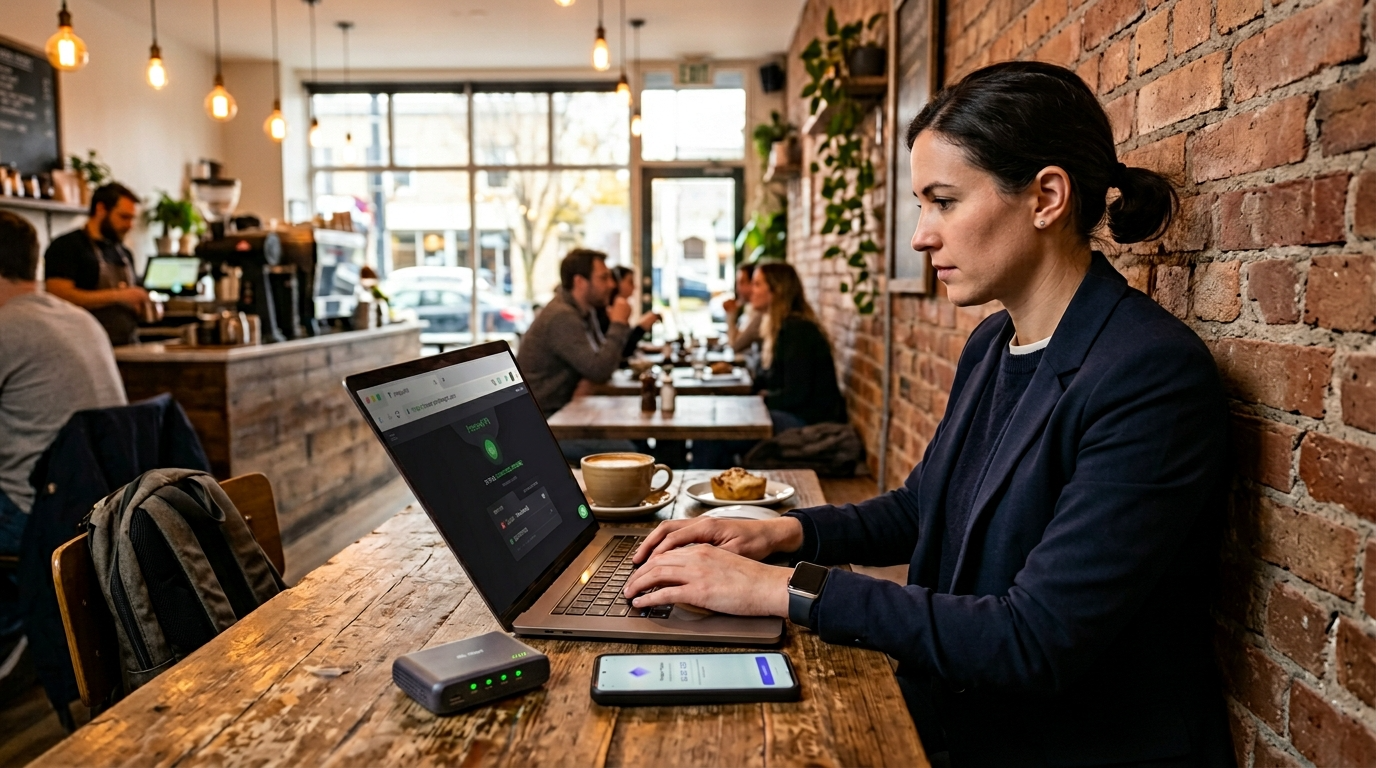
Secure browsing at cafes is essential in today’s connected world. While coffee shops offer convenience and free Wi-Fi, they also expose you to cyber risks. Hackers often target public networks because users rarely take proper precautions.
When you connect to open Wi-Fi, your personal data can become vulnerable. Passwords, banking details, and private emails may be intercepted. However, with the right strategies, you can significantly reduce these risks.
This guide explains how to protect your data, strengthen your devices, and practice secure browsing at cafes without sacrificing convenience.
Why Public Wi-Fi in Cafes Is Risky
Public Wi-Fi networks are usually unsecured. That means data traveling between your device and the router may not be encrypted. As a result, attackers on the same network can potentially monitor traffic.
Cybercriminals frequently create fake hotspots that mimic real café networks. If you connect to the wrong one, they can capture your information instantly.
Moreover, man-in-the-middle attacks allow hackers to intercept communication between you and websites. Even though HTTPS offers some protection, it does not block every threat.
Because of these risks, secure browsing at cafes should always be a priority whenever you work or browse outside your home.
Use a Reliable VPN Immediately
A virtual private network encrypts your internet traffic. Therefore, anyone attempting to intercept your data sees unreadable information.
Before opening email or logging into accounts, activate your VPN. This simple step prevents exposure during those critical first seconds of connection.
Choose a reputable provider with strong encryption standards. Look for features such as a kill switch and DNS leak protection. These tools add extra security layers.
When you rely on secure browsing at cafes, a VPN becomes your first line of defense against network-based attacks.
Verify the Network Name Carefully
Always confirm the exact Wi-Fi network name with café staff. Hackers often create fake hotspots with similar names.
For example, “CoffeeShop_FreeWiFi” may look legitimate. However, a subtle spelling change can indicate a trap.
Once you verify the official network, connect carefully. Then disable automatic Wi-Fi connections in your device settings.
This small habit strengthens secure browsing at cafes and prevents accidental connections to malicious networks.
Enable Two-Factor Authentication
Two-factor authentication adds another security layer. Even if someone steals your password, they cannot access your account without the second verification step.
Most platforms now support authentication apps or SMS codes. Although SMS is less secure than app-based codes, it still improves protection.
Additionally, hardware security keys offer even stronger defense. They require physical confirmation before granting access.
By enabling multi-factor authentication, you reinforce secure browsing at cafes against credential theft.
Keep Your Software Updated
Outdated software creates vulnerabilities. Hackers often exploit known weaknesses in operating systems and browsers.
Therefore, enable automatic updates on your devices. Install security patches promptly when available.
Antivirus programs also help detect malicious activity. While they do not replace careful browsing habits, they add valuable protection.
Regular updates play a crucial role in maintaining secure browsing at cafes because they close common security gaps.
Avoid Accessing Sensitive Accounts
Whenever possible, avoid online banking or financial transactions on public networks. Even with encryption, limiting exposure reduces risk.
If you must access sensitive accounts, double-check that your VPN is active. Confirm the website uses HTTPS with a secure certificate.
Moreover, log out completely after finishing your session. Do not leave accounts open while stepping away for refills.
Practicing caution strengthens secure browsing at cafes and minimizes potential damage from compromised sessions.
Turn Off File Sharing and AirDrop
Many devices enable file sharing by default. On public Wi-Fi, this setting can expose your system.
Disable file sharing, printer sharing, and AirDrop before connecting to public networks. Doing so blocks unauthorized access attempts.
On Windows and macOS, adjust network settings to “public” mode. This configuration restricts discoverability by other devices.
Small configuration changes make secure browsing at cafes significantly safer.
Use HTTPS Everywhere
HTTPS encrypts communication between your browser and websites. Most modern sites support it automatically.
However, always verify the padlock icon in your browser’s address bar. Avoid entering personal information on sites lacking encryption.
Browser extensions can enforce HTTPS when available. These tools automatically redirect to secure versions of websites.
Although HTTPS does not replace a VPN, it enhances secure browsing at cafes by adding another encryption layer.
Be Mindful of Shoulder Surfing
Digital security matters, but physical privacy also counts. Shoulder surfing occurs when someone nearby watches your screen.
Position your laptop carefully. Avoid sitting in high-traffic areas if possible.
Additionally, use privacy screen filters to limit viewing angles. These inexpensive accessories block side visibility.
Remaining aware of your surroundings supports secure browsing at cafes beyond digital protections.
Log Out and Forget Networks After Use
After finishing your session, log out of accounts. Then disconnect from the Wi-Fi network.
Furthermore, remove the network from your saved connections list. This prevents automatic reconnection in the future.
Automatic reconnection may expose you unknowingly if the network becomes compromised later.
Taking these final steps reinforces secure browsing at cafes every time you leave.
Use Strong and Unique Passwords
Weak passwords create easy entry points for attackers. Instead, create long and complex combinations.
Password managers help generate and store secure credentials. They also auto-fill login details securely.
Avoid reusing passwords across multiple accounts. If one account becomes compromised, others remain safe.
Strong password practices significantly enhance secure browsing at cafes and reduce long-term risk.
Consider a Personal Hotspot Instead
If your mobile plan allows tethering, use your smartphone as a hotspot. Cellular networks generally provide stronger encryption than public Wi-Fi.
Although this option may consume data, it offers greater control over your connection.
Travelers and remote workers often prefer personal hotspots for sensitive tasks.
Whenever possible, choosing a private network strengthens secure browsing at cafes dramatically.
Recognize Phishing Attempts
Public environments often distract users. As a result, phishing emails may go unnoticed.
Always verify sender addresses before clicking links. Suspicious messages often contain slight spelling errors or urgent language.
Hover over links to preview URLs. If the destination looks unfamiliar, avoid clicking.
Remaining alert helps maintain secure browsing at cafes and prevents malware installation.
Monitor Your Accounts Regularly
Even with precautions, breaches can occur. Therefore, monitor bank statements and account activity frequently.
Many financial institutions offer real-time alerts. Enable these notifications for suspicious transactions.
If you notice unusual activity, change passwords immediately and contact support.
Regular monitoring complements secure browsing at cafes by ensuring rapid response to potential threats.
Create a Security Routine
Security becomes easier when it becomes a habit. Before connecting, activate your VPN. After connecting, verify encryption.
Throughout your session, stay aware of your surroundings. When finished, log out and disconnect.
Following a consistent routine transforms secure browsing at cafes into second nature.
Small daily habits create strong long-term protection.
Final Thoughts on Staying Safe in Coffee Shops
Coffee shops provide convenience and flexibility. However, they also present real cybersecurity risks.
Fortunately, practical precautions dramatically reduce exposure. By using encryption, verifying networks, and maintaining strong passwords, you protect sensitive information.
Secure browsing at cafes requires awareness and discipline. Yet these steps take only minutes to implement.
Ultimately, staying safe on public Wi-Fi ensures you can work, browse, and relax with confidence wherever you go.
FAQ
- Why is public Wi-Fi dangerous?
Open networks often lack encryption, allowing attackers to intercept data transmitted between devices. - Do I always need a VPN in coffee shops?
While not mandatory, using one greatly reduces the risk of data interception on public networks. - Is HTTPS enough for protection?
HTTPS encrypts website traffic, but combining it with a VPN offers stronger security. - Can hackers see my passwords on open Wi-Fi?
Without encryption, attackers may capture login credentials using interception techniques. - What is the safest way to connect in a café?
Using a personal hotspot or enabling a trusted VPN provides the strongest protection.