
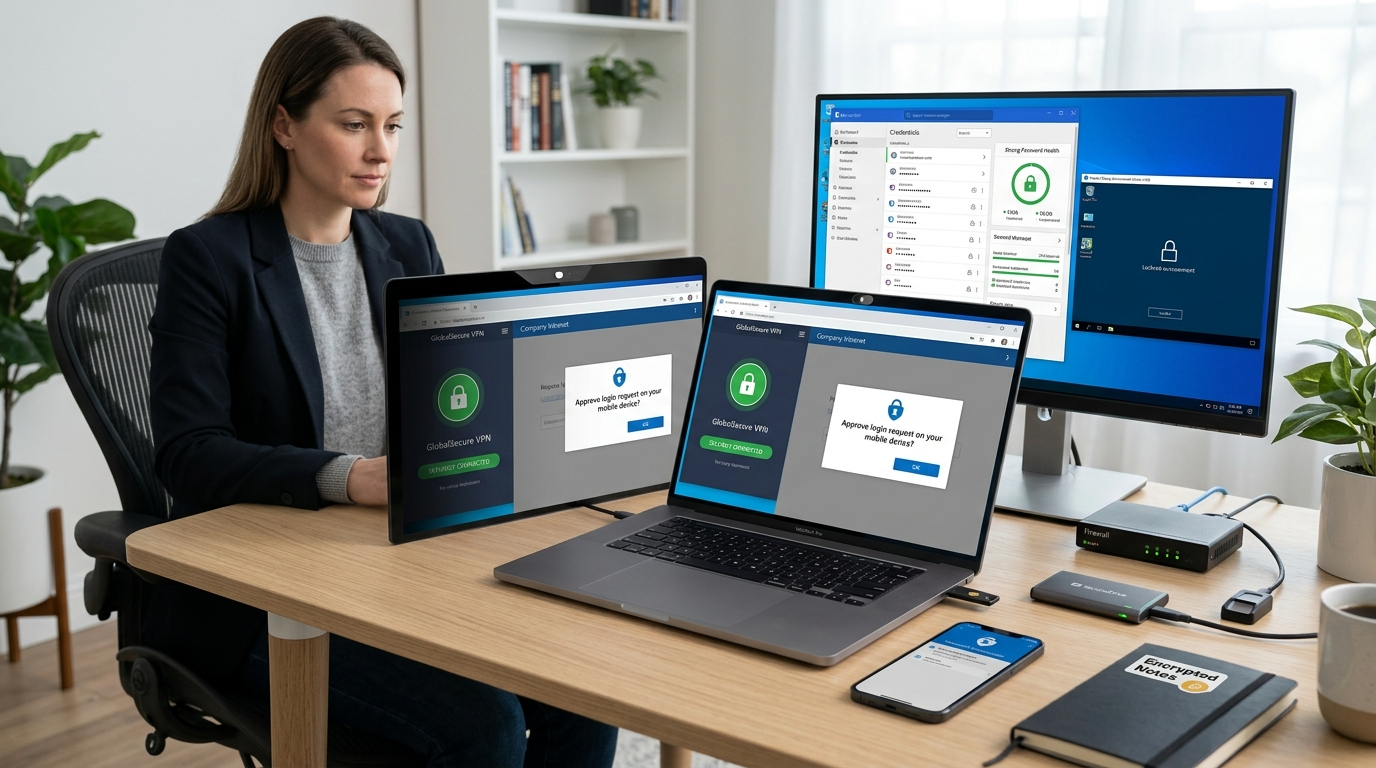
The rise of flexible jobs has made Remote Work Data Security a top priority for professionals and businesses alike. Working from home, cafes, or shared spaces offers freedom, yet it also increases digital risks. Without proper safeguards, sensitive company data and personal information can become vulnerable.
Remote environments often lack enterprise-level network protection. As a result, cybercriminals target remote workers through phishing, unsecured Wi-Fi, and weak passwords. However, with the right strategies, you can work confidently without sacrificing security.
In this guide, you will learn how to build a strong security foundation, protect devices, and maintain Remote Work Data Security wherever you operate.
Why Remote Work Increases Security Risks
Traditional offices rely on centralized firewalls and IT monitoring systems. Remote settings, however, distribute that responsibility to individual workers.
Home networks may use outdated routers. Public Wi-Fi networks often lack encryption. Additionally, personal devices sometimes mix work and entertainment apps.
These conditions create multiple entry points for attackers. Therefore, maintaining Remote Work Data Security requires proactive measures rather than reactive fixes.
Understanding the risks helps you design a defense strategy that protects both company assets and personal privacy.
Secure Your Home Network First
Your router acts as the gateway to your online activity. Therefore, securing it is critical.
Change the default administrator password immediately. Then enable WPA3 or at least WPA2 encryption for wireless connections.
Additionally, update router firmware regularly. Manufacturers release patches to fix vulnerabilities frequently.
Disable remote management features unless absolutely necessary. These simple adjustments significantly strengthen Remote Work Data Security at the network level.
Use a Business-Grade VPN
A virtual private network encrypts your internet traffic. Consequently, it prevents interception on unsecured networks.
Many companies provide corporate VPNs. If yours does not, invest in a reputable provider.
Always activate your VPN before accessing work platforms. Even on home networks, encryption adds an extra protection layer.
Consistent use of VPN technology enhances Remote Work Data Security by shielding data from surveillance and cyber threats.
Implement Strong Password Practices
Weak passwords remain one of the most common security flaws.
Create long, unique passwords for every work-related account. Avoid reusing credentials across platforms.
Password managers generate and store complex combinations securely. Therefore, they reduce the risk of credential compromise.
In addition, enable two-factor authentication wherever available. This extra layer reinforces Remote Work Data Security against unauthorized access.
Separate Work and Personal Devices
Using one device for everything increases exposure.
If possible, dedicate a specific laptop or computer to work tasks. This separation minimizes the risk of malware spreading from personal apps.
Additionally, avoid installing unnecessary software on work devices. Fewer applications reduce attack surfaces.
Maintaining separation strengthens Remote Work Data Security by isolating professional environments from personal browsing habits.
Keep Software Updated
Cybercriminals often exploit outdated systems.
Enable automatic updates for your operating system and productivity tools. Install security patches promptly when notified.
Outdated antivirus software can also weaken protection. Therefore, ensure all security applications remain current.
Regular updates form a critical pillar of Remote Work Data Security by eliminating known vulnerabilities.
Be Cautious With Public Wi-Fi
Remote workers frequently rely on cafés, hotels, or airports.
Public Wi-Fi networks expose devices to monitoring tools and fake hotspots. Therefore, verify network names before connecting.
Always activate your VPN immediately upon connection. Additionally, disable automatic Wi-Fi reconnection features.
When possible, use a personal mobile hotspot instead. These precautions support consistent Remote Work Data Security in shared spaces.
Recognize Phishing and Social Engineering
Phishing attacks target remote employees heavily.
Suspicious emails may appear urgent or mimic trusted contacts. Therefore, verify sender addresses carefully.
Avoid clicking unknown links or downloading unexpected attachments. When in doubt, confirm directly with the sender.
Staying alert helps maintain Remote Work Data Security against deceptive tactics.
Encrypt Sensitive Files
Encryption ensures files remain unreadable without authorization.
Many operating systems include built-in disk encryption tools. Enable them for laptops and external drives.
For cloud storage, use services offering end-to-end encryption. Additionally, apply file-level encryption for confidential documents.
Encryption strengthens Remote Work Data Security even if devices become lost or stolen.
Back Up Data Regularly
Data loss can occur through ransomware, hardware failure, or accidental deletion.
Therefore, schedule automatic backups to secure cloud storage or encrypted external drives.
Store backups separately from your primary device. This separation prevents total data loss during attacks.
Reliable backups support Remote Work Data Security by ensuring business continuity.
Control Access Permissions
Not all employees require full system access.
Limit permissions based on roles and responsibilities. This principle, known as least privilege, reduces exposure.
Additionally, remove access promptly when team members leave projects.
Proper access management enhances Remote Work Data Security by minimizing potential damage from compromised accounts.
Secure Video Conferencing Tools
Remote collaboration often relies on video calls.
Protect meetings with passwords and waiting rooms. Avoid sharing meeting links publicly.
Update conferencing software regularly to prevent exploitation.
These steps protect conversations and maintain Remote Work Data Security during virtual collaboration.
Monitor Activity and Use Alerts
Set up login alerts for critical accounts.
Review account activity logs periodically. Unusual login attempts may signal intrusion.
Companies can deploy endpoint monitoring solutions for additional oversight.
Continuous monitoring strengthens Remote Work Data Security by detecting threats early.
Develop a Security Routine
Security habits become easier with repetition.
Start each day by confirming your VPN connection. During work, lock your screen when stepping away.
At the end of the day, log out of platforms and disconnect from networks.
Establishing routines ensures Remote Work Data Security remains consistent rather than occasional.
Educate Yourself and Your Team
Cybersecurity evolves rapidly.
Attend training sessions or follow reputable security blogs. Share knowledge with colleagues to create a culture of awareness.
Organizations that prioritize education experience fewer breaches.
Collective responsibility enhances overall Remote Work Data Security significantly.
Plan for Incident Response
Despite precautions, incidents may occur.
Prepare a response plan outlining steps to take if data becomes compromised.
Immediately report suspicious activity to IT teams or supervisors.
Swift action reduces damage and supports ongoing Remote Work Data Security efforts.
The Future of Secure Remote Work
As remote employment expands, security technology continues evolving.
Zero-trust architectures and biometric authentication may become standard practices.
Cloud security solutions also grow more sophisticated.
Therefore, adapting to innovation ensures long-term Remote Work Data Security remains effective.
Final Thoughts on Protecting Remote Work
Remote work offers flexibility and opportunity. However, it also demands personal responsibility.
By securing networks, using VPNs, and adopting strong password habits, you protect sensitive information effectively.
Remote Work Data Security depends on consistent action rather than one-time setup.
Ultimately, proactive habits ensure productivity and peace of mind wherever you choose to work.
FAQ
- Why is working remotely riskier than working in an office?
Remote environments often lack centralized security controls and professional network monitoring. - Do I need a VPN for home office use?
Yes, a VPN adds encryption and protects sensitive data even on private networks. - How often should I update my devices?
Enable automatic updates and install patches as soon as they become available. - What is the most common remote work threat?
Phishing attacks remain one of the most frequent and successful methods used by cybercriminals. - How can companies improve remote cybersecurity culture?
Provide regular training, enforce strong access controls, and encourage proactive reporting of suspicious activity.